How to Review a Custom Plastic Bag Mockup: A Proof Checklist Before You Approve
To review a custom plastic bag mockup, check the bag style, logo placement against handles and gussets, ink colors against the film, every line of text, and the back panel before you approve. Customized Plastic Bags sends a free mockup within 24 hours, offers unlimited free revisions, and charges nothing until you approve the design, so take the time to get it right.
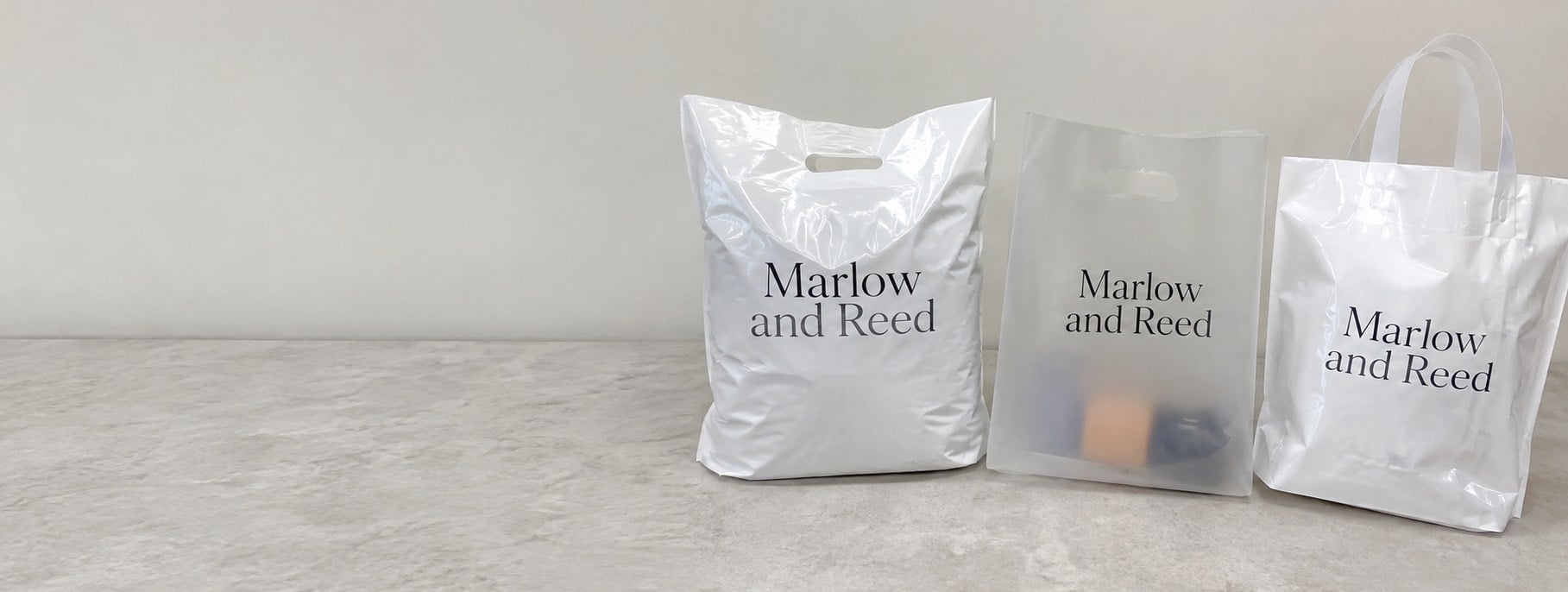
- Free plastic bag mockup within 24 hours of a quote request.
- Unlimited free revisions, and nothing is charged until you approve the design.
- Film color changes how ink reads, so check contrast on clear, frosted and colored film.
- Standard turnaround is about two weeks after approval, with faster options through express shipping.
What should you check on a custom plastic bag mockup before you approve it?
Check five things on every custom plastic bag mockup: the bag style and finish, the logo position, the ink colors against the film color, every word and number, and what prints on the back. Those five decide whether the plastic bags that arrive match what you pictured. A logo can look perfect on screen and still sit too close to a handle cutout or vanish against frosted film.
Customized Plastic Bags returns a free mockup within 24 hours of your quote request, and you pay nothing until you approve the design. That gives you room to read the proof slowly instead of rushing a yes. Print the mockup or open it at full size on a large screen, then walk through the checklist below with the person who owns your brand standards.
- Bag style: t-shirt, die-cut, soft-loop, frosted boutique or printed shopping bag, exactly as ordered.
- Placement: logo centered in the printable area, clear of handles, seams and gussets.
- Color: ink colors named on the proof and suited to the film behind them.
- Copy: spelling, phone numbers, web addresses, social handles and scan codes.
- Sides: front only, or front and back, with the back artwork shown.
How do you confirm logo placement and the print area on a plastic bag proof?
Confirm placement by looking at where the logo sits relative to the parts of the plastic bag that are not flat printable film: the handle, the bottom seal and any side gussets. The printable area is the flat panel between those features, and a good proof shows your artwork inside it with breathing room on every side.
Each handle style changes that panel. A die-cut handle bag has a punched opening near the top, so a tall logo can crowd the cutout. A t-shirt bag has two vest handles and a gusseted body, which means the widest flat zone is the middle of the bag rather than the top. A soft-loop handle bag keeps the full front panel open because the loop is welded on, which suits larger artwork.
When you review the mockup, ask yourself whether the logo would still read if a customer carried the bag with the handles pulled tight. Shopping bags fold and stretch in use, so a logo set too close to an edge often wraps out of sight. If you are unsure, ask Customized Plastic Bags to show the logo a little smaller or lower and compare the two versions side by side.
How do ink colors on a mockup translate to printed plastic bags?
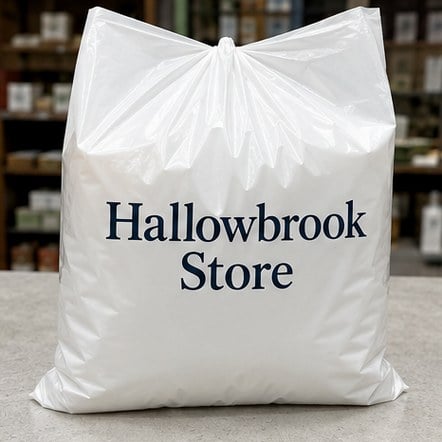
Ink colors on a plastic bag mockup are a guide to the final look, not an exact screen match, because printed ink sits on colored, clear or frosted film rather than on a white monitor. The film behind the ink changes how the color reads, so the proof should name each ink and the film color it will print on.
Three situations deserve a second look. First, dark ink on dark film loses contrast, so a navy logo on a black bag needs white ink or a lighter film. Second, clear and frosted film let light through, which softens ink colors; light inks may need a white underlay to stay bright. Third, a design built from many colors or fine gradients may need simplifying for a printing press, which the proof should show before you approve.
If your brand uses specific ink references, list them in the quote request so the mockup reflects them. Customized Plastic Bags can show the same artwork on two film colors, which is the quickest way to see whether white, black or a tinted film gives your logo the most punch on the sales floor.
What text and small details get missed on plastic bag proofs?
The details most often missed on plastic bag proofs are the small ones: a transposed digit in a phone number, an old web address, a social handle that changed last year, or a scan code that points to a retired page. A logo gets everyone’s attention during review, while the supporting copy underneath it gets a quick glance.
Read every line of text on the mockup out loud, letter by letter, and test any scan code with a phone straight from the proof file. Check that the store address matches your current location if you have moved or opened a second shop. Look at line weights too: very thin strokes and tiny type can fill in or break up when ink lands on soft film, so a tagline that looks crisp on screen may need to be set slightly bolder.
- Phone numbers and web addresses typed in full, with no outdated domains.
- Scan codes tested from the proof and placed on a flat part of the bag.
- Taglines and legal lines large enough to read at arm’s length.
- Recycling or reuse messages that match the film you actually ordered.
Which proof checks matter most for each plastic bag style?
Each plastic bag style on Customized Plastic Bags has its own weak spot on a proof, so the review focus shifts with the style you order. Use the table below as a quick reference while you compare the mockup to your plan.
| Bag style | What to check on the mockup | Common fix |
|---|---|---|
| T-shirt bags | Logo centered on the body, clear of the vest handles and side gussets | Move the artwork lower and keep it compact |
| Die-cut handle bags | Space between the top of the logo and the handle cutout | Reduce logo height or drop it toward the middle |
| Soft-loop handle bags | Use of the full front panel and how the loop frames the design | Scale the logo up to fill the open panel |
| Frosted boutique bags | Ink contrast against translucent film and visibility of the contents | Add white ink or choose a bolder ink color |
| Printed shopping bags | Front and back artwork, and whether both sides are shown on the proof | Request a back-panel view before approving |
If your order mixes several styles, ask for a mockup of each one rather than approving a single proof for the whole order, since the same logo can need different sizing on a die-cut bag and a t-shirt bag.
What are the most common artwork mistakes on custom plastic bag orders?
The most common artwork mistakes on custom plastic bag orders come from files built for screens or paper rather than for film. Most of them are easy to catch during mockup review if you know what to look for.
- Low-resolution logos. A logo copied from a website or social profile can look soft or blocky once enlarged on a bag. Send a vector file such as AI, EPS, SVG or a vector PDF whenever you have one.
- Too many colors and effects. Shadows, glows and gradients may not reproduce on film and can be simplified. A clean, flat version of the logo usually prints sharper.
- Wrong logo version. Teams often send an old mark or a version meant for dark backgrounds. Confirm the proof shows the current logo in the right orientation.
- Ignoring the film color. A logo designed on white needs a check against clear, frosted or colored film before approval.
- Crowded layouts. Adding a slogan, address, website and social icons around the logo makes each element small. Pick the two or three that matter.
None of these mistakes is costly to fix before approval. Customized Plastic Bags offers unlimited free revisions, so a corrected file simply produces a new mockup.
How should you ask for changes to a plastic bag mockup?
Ask for changes to a plastic bag mockup in one consolidated message that lists every edit clearly, rather than sending notes in pieces as different people review the file. One clean list keeps the revision fast and avoids a later version undoing an earlier fix.
Be specific with direction. Instead of “make the logo pop,” say “switch the ink to white on the black t-shirt bag” or “move the logo lower so it clears the die-cut handle.” If you are unsure which option looks better, ask for two versions in the same round. Gather approvals from whoever signs off on branding, and flag anyone who must see the final proof before production.
Customized Plastic Bags offers unlimited free revisions, and nothing is charged until you approve the design. Revisions do take time to turn around, so build them into your plan if your plastic bags are tied to a fixed date. Review the newest mockup each round in full rather than only checking the item you changed.
What happens after you approve a custom plastic bag mockup?
After you approve a custom plastic bag mockup, the approved design becomes the production file, and standard turnaround is about two weeks, with faster turnaround available through express shipping. Approval is the point where edits stop being free and easy, which is why a careful proof review matters more than speed.
Save the approved proof with your order details: bag style, film color, ink colors, print sides and quantity. That file makes reorders simple, because you can point to the exact approved version and avoid a fresh round of decisions. When the plastic bags arrive, compare a few bags from the carton against the saved proof before stocking the register.
Ready to start? Send your logo and the bag style you have in mind through the quote form, or read how it works first. You can also browse die-cut handle bags, custom t-shirt bags and frosted boutique bags to see how each style frames a logo.
Frequently asked questions
Can I approve a plastic bag mockup on my phone?
Plastic bag mockups can be opened on a phone, but a quick review on a small screen often misses thin text, spelling errors and tight spacing near handles. Open the proof on a large monitor or print it at full size before you approve. Customized Plastic Bags sends mockups as files you can share, so a second reviewer can check details at desk size.
What file format should I send for a plastic bag logo?
Plastic bag logos print most cleanly from vector files such as AI, EPS, SVG or a vector PDF, because they scale without blurring. A high-resolution PNG can work for a first mockup, but logos copied from a website or social profile often look soft when enlarged on film. If you only have an image file, send it and ask whether the artwork needs rebuilding.
How does film color change the way my logo looks on plastic bags?
Film color changes logo contrast on plastic bags because ink sits on top of colored, clear or frosted film rather than white paper. Dark logos fade on dark film, and light inks soften on translucent film unless a white underlay is added. Ask Customized Plastic Bags to show your logo on two film colors so you can compare contrast before deciding.
Should the back of a printed plastic bag match the front?
Printed plastic bags do not need matching sides. Many stores keep the logo on the front and use the back for a website, a tagline or a simple repeat mark. Whatever you choose, make sure the mockup shows the back panel clearly before approval, since a missing back view is a common reason for surprises when cartons of bags arrive.
Can a scan code be checked on the plastic bag proof before printing?
Scan codes on plastic bags should be tested straight from the proof file using a phone camera before you approve. Confirm the code opens the right page and keep it on a flat panel away from gussets and handles, where folds can distort it. Customized Plastic Bags can enlarge the code on the mockup if your first test feels slow or unreliable.
What happens to fine lines and thin fonts on plastic bags?
Fine lines and thin fonts on plastic bags can fill in or break up because ink spreads slightly on soft film. Hairline strokes, small serif type and tiny legal text are the usual trouble spots. When a plastic bag mockup shows delicate text, ask for a slightly bolder weight or a larger size so the words stay readable at arm's length.
Can my plastic bag mockup show more than one logo position?
Plastic bag mockups can show two or more logo positions in the same revision round, such as centered versus lower on a die-cut bag. Seeing the options side by side makes the decision quicker than imagining the change. Customized Plastic Bags offers unlimited free revisions, so requesting a comparison version does not add cost before you approve a final design.
Is it possible to change the bag style after seeing the mockup?
Plastic bag style can still change after you see the mockup, as long as you have not approved the design. Switching from a t-shirt bag to a soft-loop handle bag, for example, usually means resizing the logo for the new printable panel. Customized Plastic Bags will send a fresh mockup for the new style so you can review placement again.
Do frosted plastic bags need different artwork from clear bags?
Frosted plastic bags often use the same logo file as clear bags, but the ink choice may need adjusting. Frosted film diffuses light, so pale inks can look washed out while bold or white inks hold up well. Review the frosted mockup on its own rather than assuming a clear-bag proof applies, and ask for a white underlay if colors look faint.
Should I keep a copy of my approved plastic bag proof?
Plastic bag proofs are worth saving with your order notes once approved. The file records the bag style, film color, ink colors, print sides and logo size, which makes a reorder quick and consistent. When a new staff member places the next order, they can point Customized Plastic Bags to the saved proof instead of rebuilding every decision from scratch.
How should I check a plastic bag proof against my brand guidelines?
Plastic bag proofs should be checked against your brand guidelines line by line: the correct logo version, minimum clear space, approved ink colors and any rules about placing the mark on colored backgrounds. Have the guideline owner review the mockup directly. Customized Plastic Bags can adjust spacing or switch to an approved alternate logo before production if anything falls outside the rules.
Can I mix different artwork across sizes in one plastic bag order?
Plastic bag orders can carry different artwork on different sizes, such as a full logo on large shopping bags and a compact mark on small die-cut bags. Each version should get its own mockup so you can approve the sizing for that specific bag. List every size and its artwork in your quote request so the proofs arrive organized.
Get a free mockup for your plastic bags
Send your logo or idea and the quantity you have in mind. Customized Plastic Bags returns a free mockup within 24 hours, you approve the design before anything is produced, and standard turnaround is about two weeks with faster options available. Get a custom quote.